How To Do L-Edit GDS Import
How To Do L-Edit GDS Import
How to Do L-Edit GDS Import
GDS is a common data format for dealing with layout files. L-edit is a very powerful software package, but unfortunately for a new user even simple tasks like importing files can prove to be problematic. To help you out, here is a quick guide for how to do L-edit GDS import.
Check out my picks for different layout design software
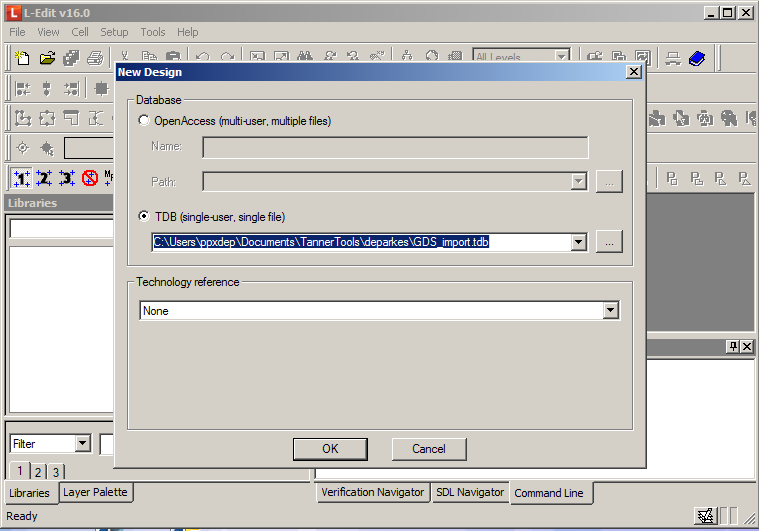
Make Sure You Have an L-Edit Design Open
You can’t just import a GDS file into a blank document - you need to open an existing or New Design first:
 |
|---|
| L-edit GDS import - new file |
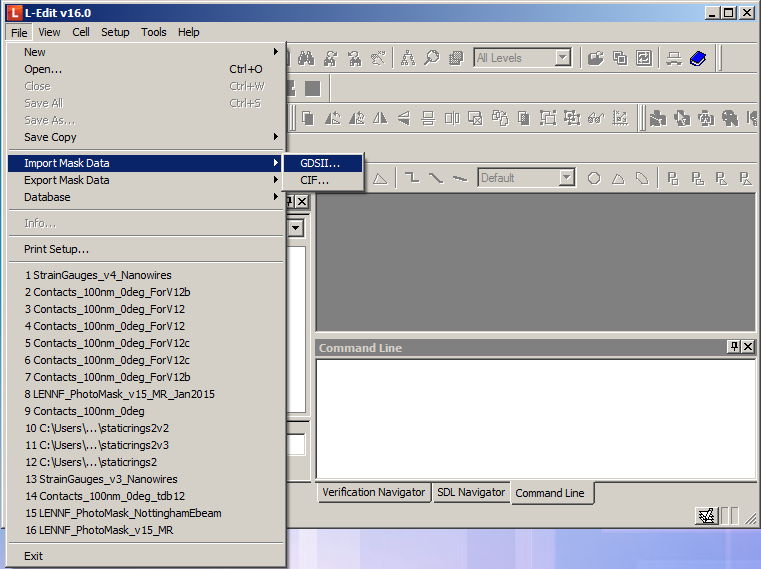
Select 'Import Mask Data'
To begin the import, go to File->Import Mask Data->GDSII…
 |
|---|
| L-edit GDS import - Import mask data |
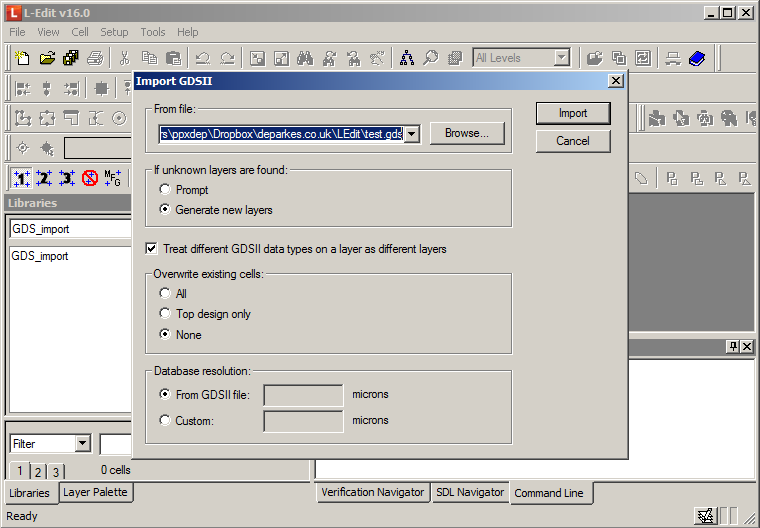
You will have the chance to select the gds import options:
 |
|---|
| L-edit GDS import - GDS settings |
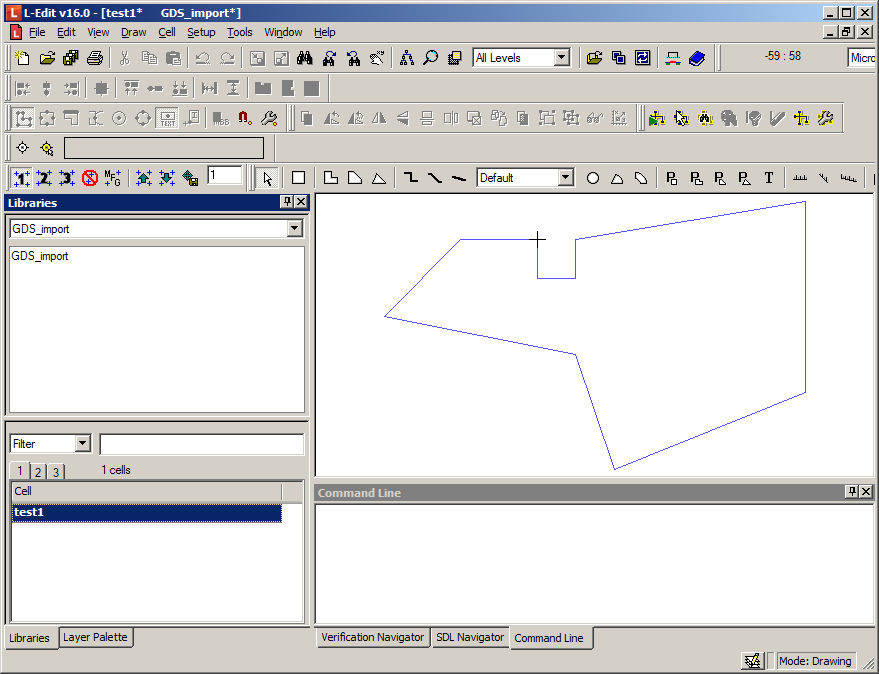
If your import works correctly, you should end up with something like this:
 |
|---|
| L-edit GDS import - end result |
This post is licensed under CC BY 4.0 by the author.