Easy Notepad Journal
Easy Notepad Journal
In this post I show you how you can make easy notepad journal, using Notepad.exe - the default text editor for Windows.
I’ll show you how you can get notepad to automatically append today’s date to the end of a file which makes it easy to keep a track of notes or journal entries.
Add '.log' to your text file to make a Notepad Journal
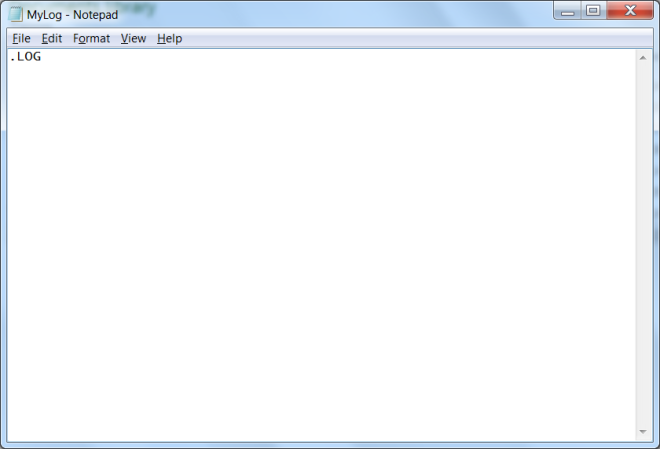
All you have to do is put the line (note the upper case):
1
.LOG
into your text file, like so:
 |
|---|
| Journal with notepad |
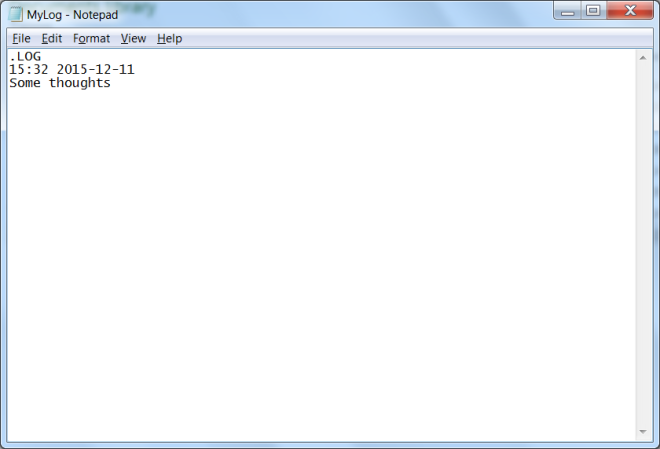
The next time you open your file, notepad will put a date and time stamp at the bottom of your file - something like this:
1
15:32 2014-12-11
 |
|---|
| Journal with notepad |
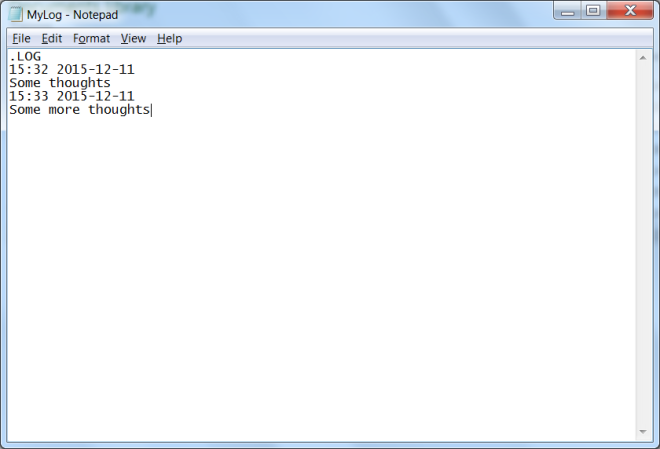
Notepad will add a new timestamp each time you open your log
When you re-open your (saved) log file, notepad will insert a new date/time stamp for this new entry.
 |
|---|
| Journal with notepad |
You can also use this trick to make a notepad journal my favourite text editor - notepad2-mod
This post is licensed under CC BY 4.0 by the author.