How to find the Centre of a Polygon in Python
Finding the centre of of a polygon can be useful for many geomtrical analysis and processing techniques. This quick guide shows you how to find the centre of a polygon in python.
The Centroid
The centre of a polygon is also known as its centroid. It the arithmetic mean position of all the points that make up the polygon. 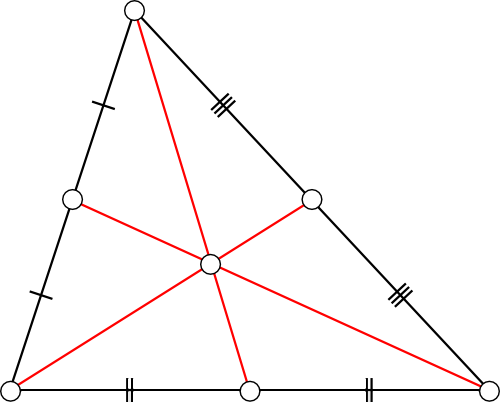
How to find the centre of a polygon in python
My preferred package for geometry analysis and processing in python is Shapely which happily for us, has a built-in method for finding the centroid of an object. We can just use:
1
mypolygon.centroid
This returns a shapely POINT object. This is all well and good, but in most situations we will want to process this further. So we can do a couple of further things to this centroid. Firstly we can output it in a more readable way:
1
mypolygon.centroid.wkt
(‘wkt’ stands for well known text), which outputs:
1
'POINT (3.351351351351351 1.897597597597598)'
Alternatively we can output the centroid as a pair of coordinates:
1
mypolygon.centroid.coords
(‘wkt’ stands for well known text), which outputs a python list.
1
[(3.351351351351351, 1.8975975975975976)]
Which is much more manageable.